Manage the Job

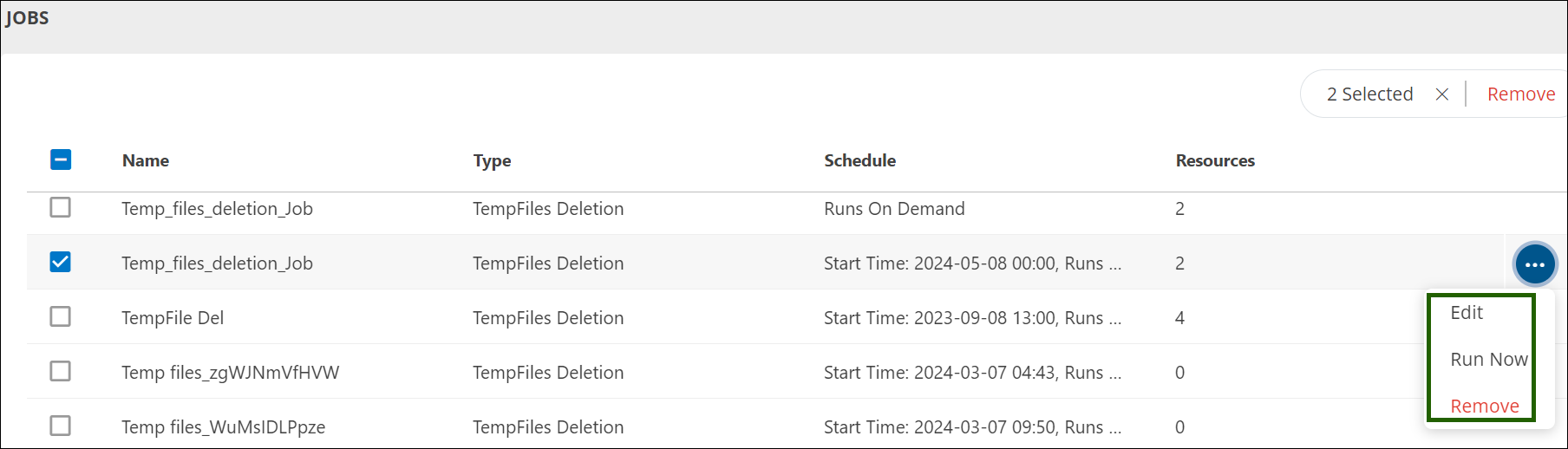
On the home page of jobs, you can perform the following actions against created jobs:

  • Edit: Use this option to make changes to an existing configuration.
  • Run Now: Choose this option to immediately run the job.
  • Remove: If you no longer want to keep a job on the home page, use this option to delete it. To remove multiple jobs at once, use the REMOVE option at the top right corner of the page.
Reporting apps

Jobs Details

View Job Summary

After successfully creating a job, you can view the following details in the job list:

  • Name – Displays the job name
  • Type – Indicates the type of job created
  • Schedule – Shows the configured execution schedule
  • Resources – Lists the resources associated with the job

View Job Information

Click on any job to view detailed information in the job details page. The following sections are available:

  • Properties – Displays configuration details of the job
  • Resources – Shows the resources assigned to the job
  • Logs – Provides execution history and status logs for the job
Reporting apps